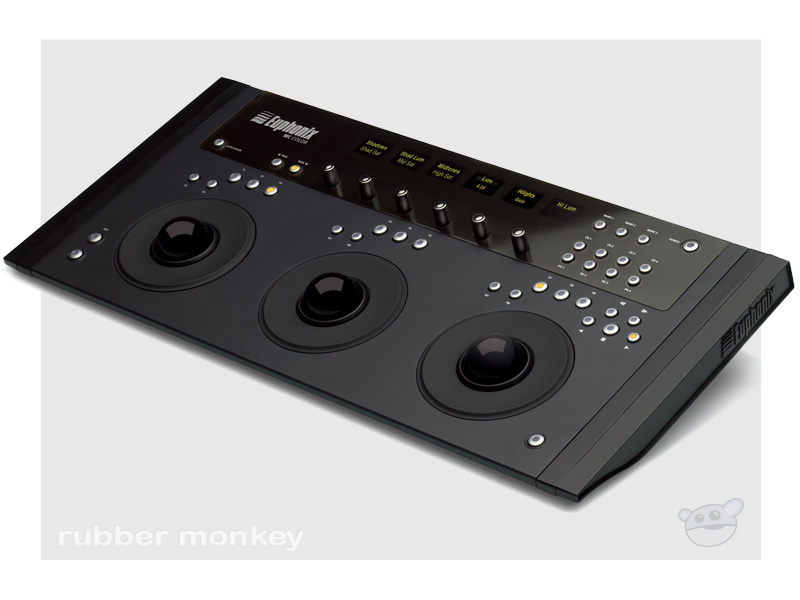














































































































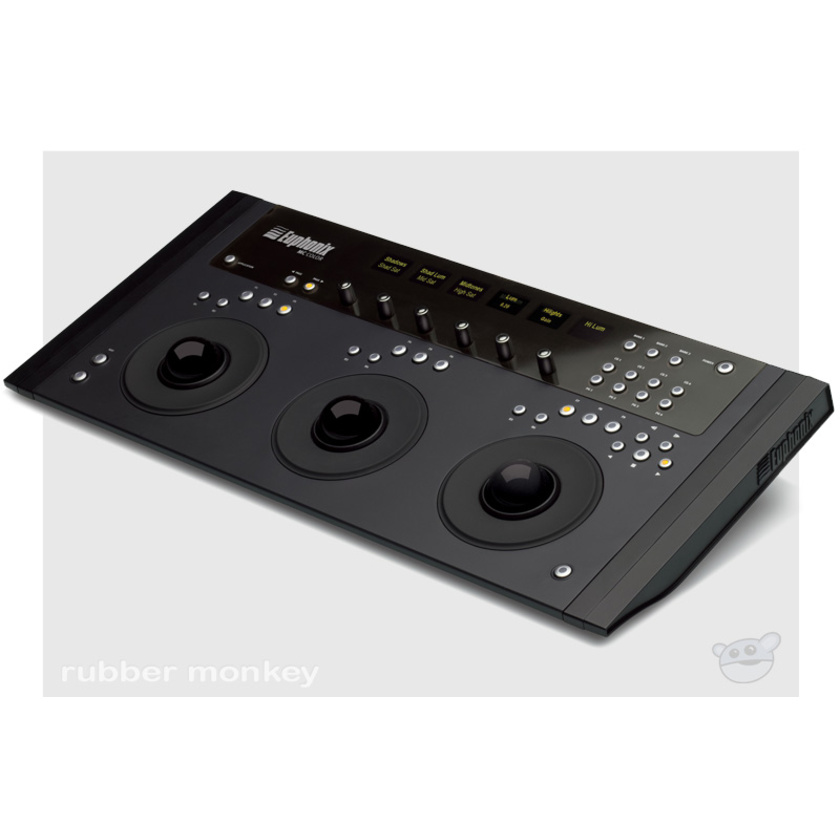
MC Color offers unmatched control and integration with Apple's Color 1.5, providing colorists with high-resolution trackballs, trackwheels, touch-sensitive encoders and a host of programmable keys in a slim-line design. MC Color attaches to your Mac via Ethernet, and can be used as a standalone color grader, or together with other Euphonix media controllers to build a larger, integrated video editing control surface.
Power Features
3 optical trackballs for modifying color values and vignettes
3 optical trackwheels for controlling brightness, vignettes and pan and scan
6 touch-sensitive rotary encoders for adjusting parameters
6 high-resolution OLED displays show parameter names and values
Comprehensive transport and navigation controls
Dedicated copy/paste grade buttons for memory banks 1-4
Slim-line design for easy integration and portability
MC Color - Designed Specifically for Apple's Color
MC Color has been specifically designed for Apple Color, offering a host of features optimized for the Apple Color workflow and requires no special configuration. Simply install the EuControl software, attach your MC Color and select "Euphonix EuCon Control Surfaces" from the Apple Color "Setup Room>User Prefs>Show Control Surface Dialog" menu. Here are some of the features that MC Color brings to Apple Color:
Nine preprogrammed Soft Keys that automatically update as you navigate between rooms in Color - another nine functions are available when used in conjunction with the Shift Key
Soft Key Editor lets you create custom Soft Keys for any function, macro or key injection command
Navigate between secondaries, controlling all parameters of vignettes - including scale, rotation, aspect ratio, softness, and blur
Right hand trackwheel also functions as jog wheel to jog frame by frame through Apple Color timeline
Center trackball also functions as mouse to access and control any aspect of Apple Color, including curves
Dedicated Copy and Paste Grade buttons make it easy to move through your timeline and apply corrections and looks from memory banks
Specifications
Dimensions: 20" x 9.5" x 1.2"
(500mm x 238mm x 30mm)
Weight: 5.5 lbs (2.5kg)
Line voltage: 100 - 240V AC
Frequency: 50Hz to 60Hz
Rear Panel
Ethernet Port
Connects MC Color to your Mac - Ethernet hub or switch required to connect additional Artist Series unit(s) or to connect to a network.
MC Control Includes:
MC Color Unit
Ethernet Crossover cable
Universal AC power adaptor
Riser Brackets
Quick Start guide
EuCon Artist software
Studio Monitor Express
Application Sets software
Owner's Manual PDF
Compatibility
The minimum system requirements are:
- Apple Mac Computer with Intel Processor
- Apple Macintosh OS X v10.5 or later
- 1 available 10/100 Base-T Ethernet port**
- 1GB System RAM
- 200MB of free hard disk space for full installation
- CD-ROM/CD-RW or DVD-ROM drive required for software installation
- Display with 1024-by-768 resolution or higher
** Ethernet hub or switch required to connect additional Artist Series unit(s) or connect to a network