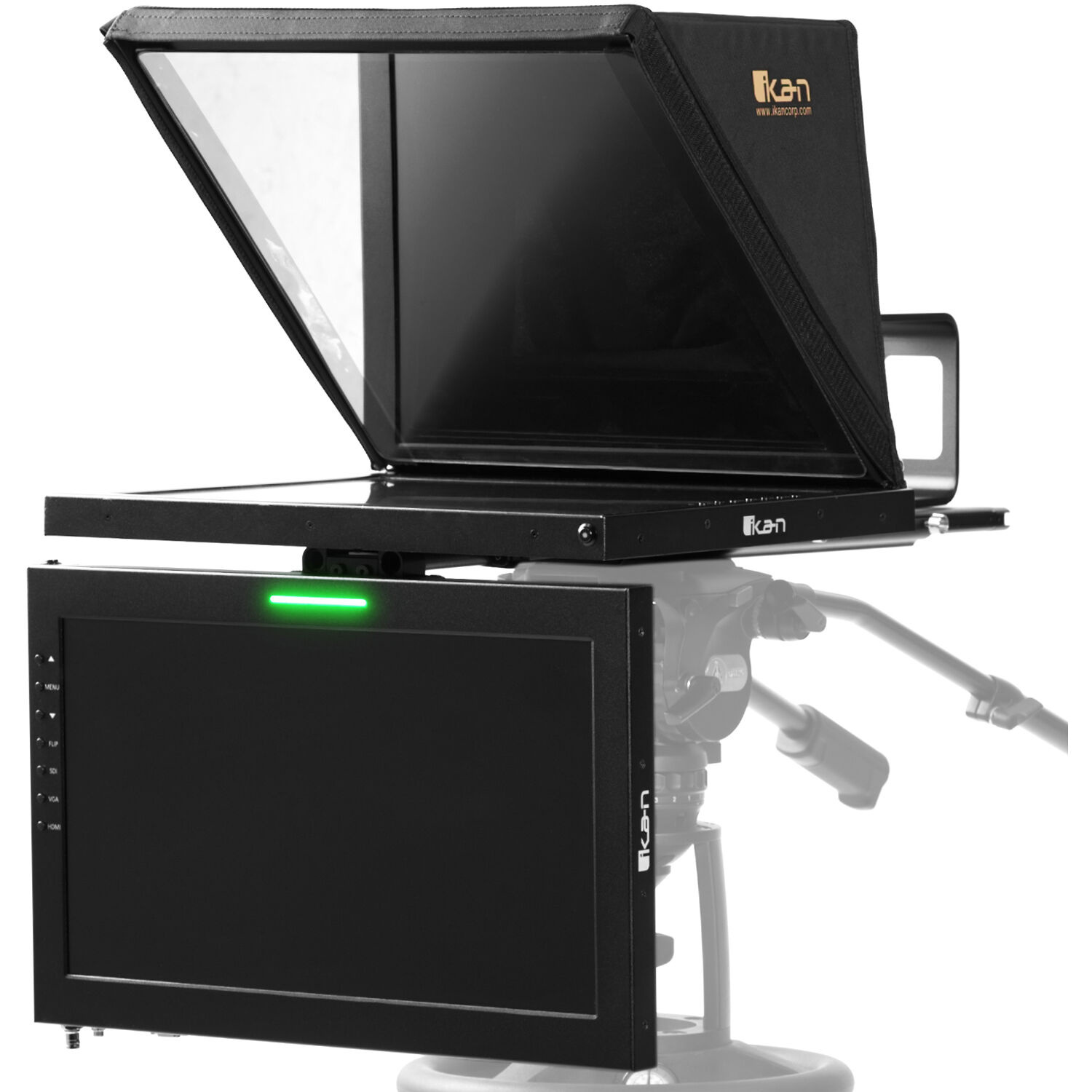













































































































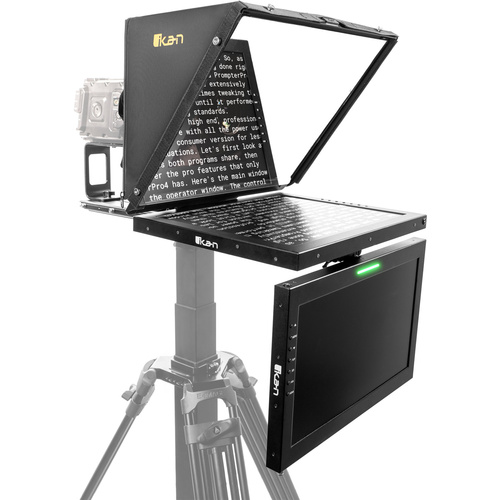



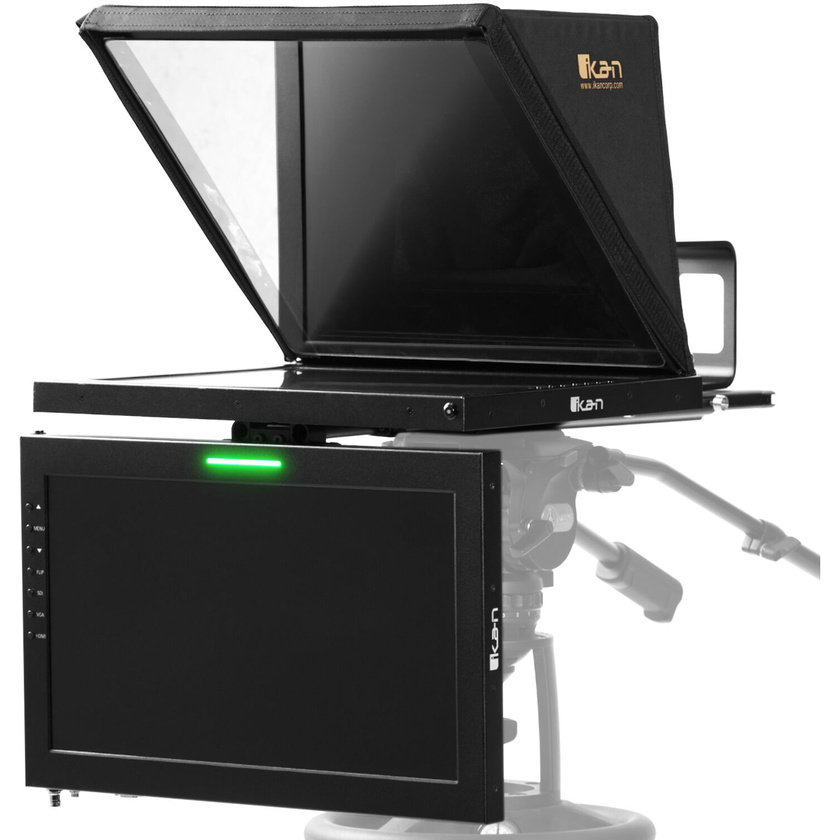
The Ikan 19" SDI High-Bright Teleprompter with 19" Talent Monitor Kit is designed for a quick and easy setup to work efficiently in outside broadcast applications or professional studios. The lightweight aluminium teleprompter has multiple 3/8-16″ and 1/4-20″ for mounting to a pedestal. The 19″ widescreen talent monitor allows the talent to easily check their look and framing without moving or looking away from the lens.
Ikan’s 4th generation professional teleprompter series is designed for a quick and easy setup to work efficiently in outside broadcast applications or professional studios. The lightweight aluminium teleprompter has multiple 3/8-16″ and 1/4-20″ for mounting to a pedestal or tripod. Both the teleprompter monitor and talent monitor include HDMI, VGA, and 3G-SDI Inputs.
The high quality 70/30 made-in-America teleprompter glass provides the perfect balance of reflection and pass-through without distorting the image. With 1000 nits the prompting image will always be crisp and visible whether you’re under the sun or studio lighting.
The Teleprompter includes a 19-inch widescreen 3G-SDI Talent Monitor. A new mounting system enables you to conveniently attach the monitor right below the teleprompter to let on-camera talent see their presentations live. The monitor features 3D-SDI, HDMI, and VGA, inputs. The native resolution is 1920 x 1080 HD and max brightness is 1000 nits. The OSD adjustment menu allows adjustment for contrast, brightness, backlight, tint, chroma, sharpness. You can also adjust the intensity of each RGB color channel. Aspect ratio can be set as 16:9, 4:3, full, or it can be set to automatically detect the aspect ratio and set it accordingly. When plugged into a compatible video switcher, the talent monitor utilizes a red/green tally light that lets you know when your camera is live.
The M19W features a tally light that illuminates red, green, and yellow. This means that a director can cut between cameras and the tally color will let the on-camera talent know which camera is live. Yellow tally lights are typically used as a way to signal to the talent, crew, and director that a camera is about to go live, and to be ready for the shot. A green tally light is typically used to indicate that a camera is in preview mode. This means that the camera’s output is being sent to a monitor, but it is not currently on air. This allows the talent, director, and production crew to check the composition, focus, and other aspects of the shot before it goes live. A red tally light is used to indicate when a camera is live or on-air.