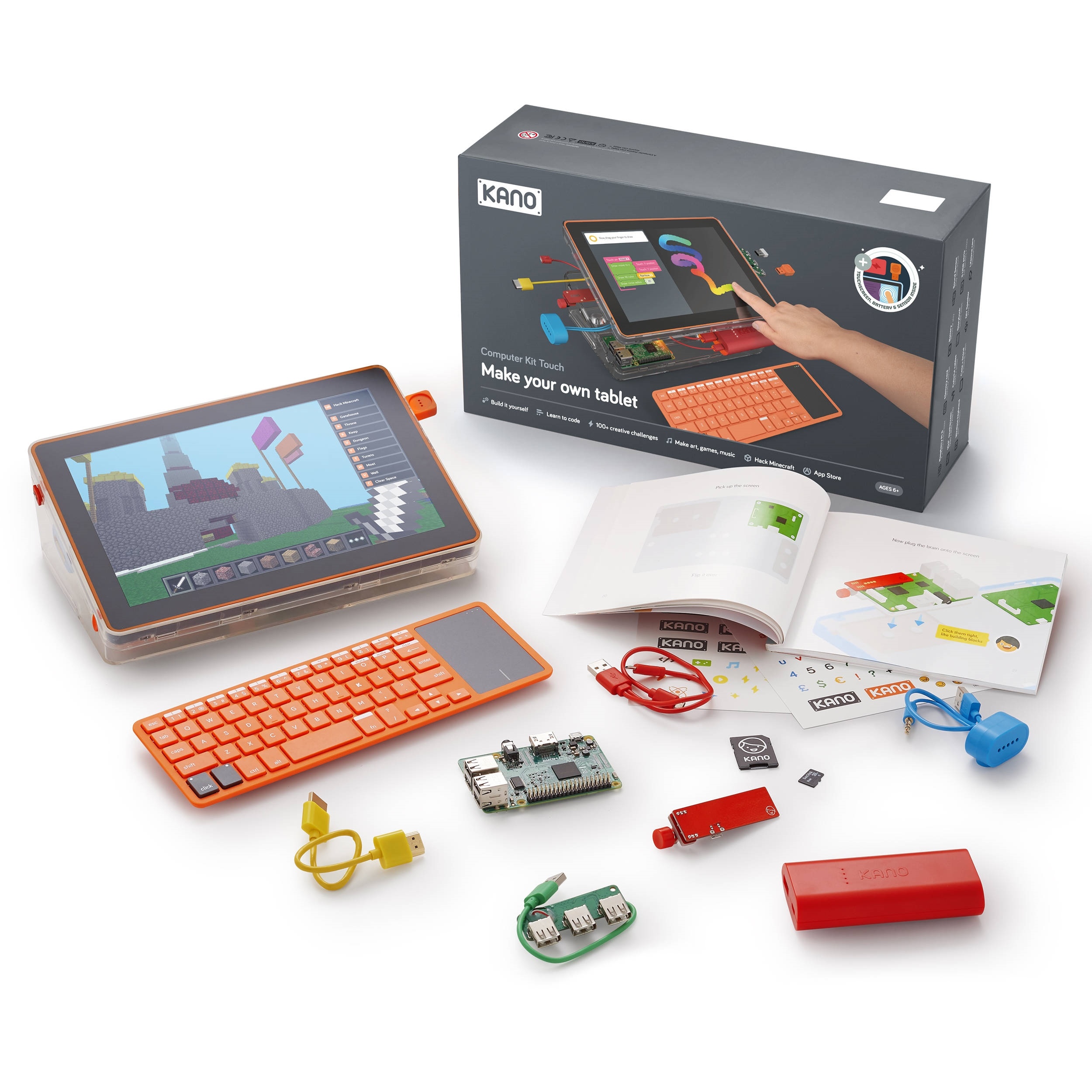
















































































































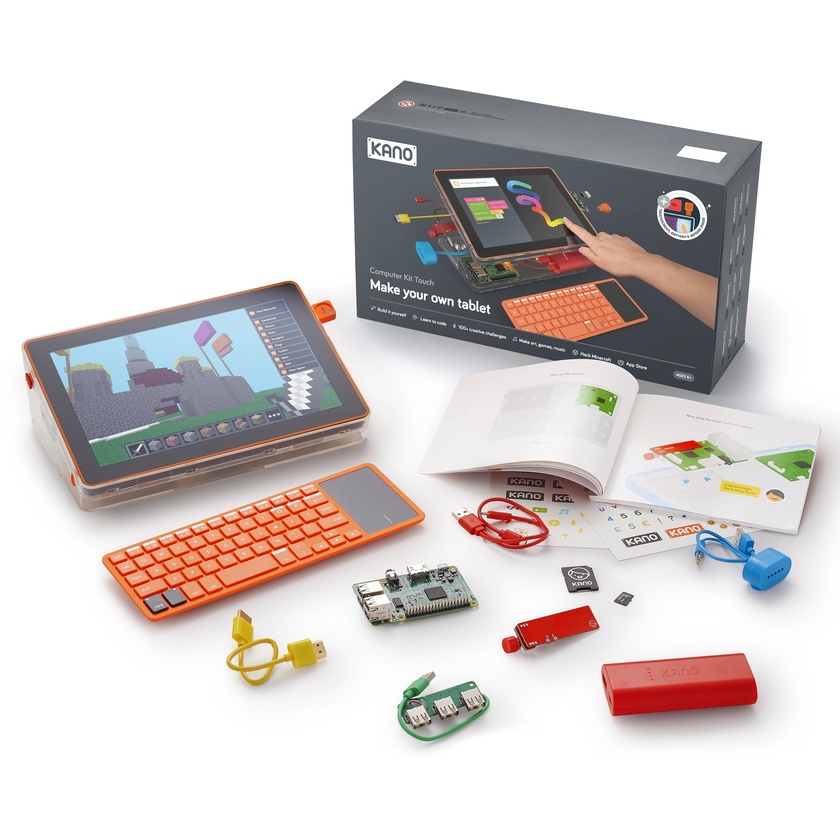
Learn to build and code your own tablet with the Kano Computer Kit Touch . The included step-by-step storybook shows you how to assemble and programme your Computer Kit Touch, and built-in applications help you learn how to code with Kano Code, Python, JavaScript, and more. The included wireless keyboard has a trackpad built-in, and the touchscreen display sports WXGA 1280 x 800 resolution. The Computer Kit Touch is designed for computer enthusiasts aged six and up.
Key Features:
- Kano Code - This visual programming editor is designed to teach you code with intuitive graphical blocks and step-by-step challenges and tutorials. Make your own applications, animations, games, digital photo filters, light shows, and more.
- Learn to Code in Python - Learning Python helps you develop code, macros, and more.
- Make Art - Learn to code by making visual art with JavaScript – no pen and paper needed. Learn how to code simple shapes, mathematical patterns, pixel art, and more.
- Story Mode - Travel a virtual world in this RPG-inspired application to learn more about hardware, software, and code. Meet characters, take on quests, and develop your coding skills.
- Terminal Quest - This is a choose-your-own command-line adventure that allows you to use Linux commands to solve a mystery and save the in-app town.
- Kano World - In this global online learning community, you can share you creations, cheque out other people's inventions, and learn from their code to make your own versions.
- Kano OS - The Raspbian-based operating system is designed to work like a Linux-based system and can be upgraded with new applications, packages, and software.